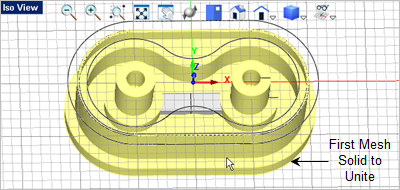
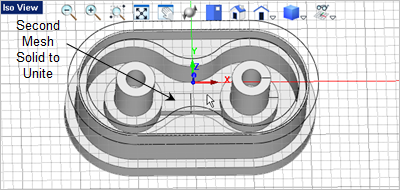
In this step we will create the square bar that connects the two bosses at the base of the second pocket. 1.First activate the Right View 2.From the Curve Modeling tab, 3.Select the grid points for the 1st and 2nd corners of the rectangle as shown.
4.Now from the Mesh Modeling tab, 5.Pick the rectangle we just created and drag the cursor over to the Front View
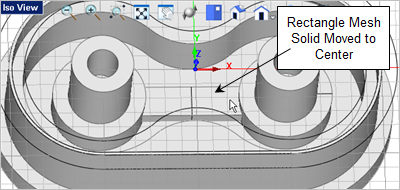
6.Now we want to use the Graphic Manipulator again so go to the Status Bar and make sure it is toggled On 7.Select Iso View 1 8.From the Graphic Manipulator pick the red X axis arrow, enter -1.5
9.Now again we will unite the Connector Bar with the Body. From the Mesh Modeling tab,
|
 and then from the
  on the
  select the
  command.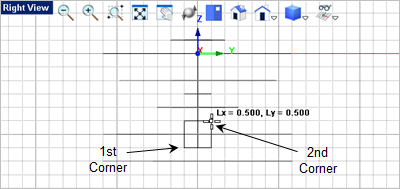
 select the
  command.
 and pick the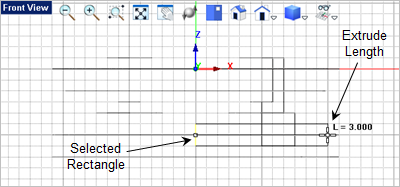
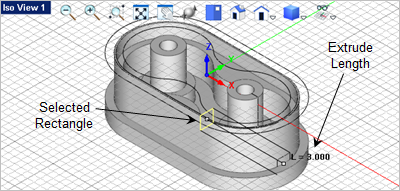
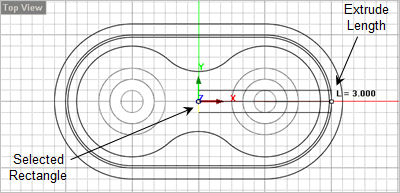
 .
. and right-click the mouse and drag rotate the part until you get a good view of the Connection Bar and select it.
 and then press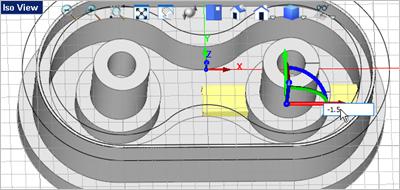
 command and select the body for the first mesh solid and the then select the Connector Bar to unite them.