 Unite two mesh objects into one mesh object. The first mesh object may be pre-selected. Unite two or more mesh objects into one mesh object. The first set of mesh objects may be pre-selected. A Mesh Revolve that is open-ended (not a full 360 degrees) cannot be used in this function.
 Meshes Must be Closed: If any selected mesh does not form closed volume (i.e., there are any open edges) the Mesh Boolean operations (i.e., Unite, Subtract or Intersect) will fail. This can sometimes occur with imported data files. If this occurs, use the Auto Fix command on each mesh before using the Unit, Subtract or Intersect Mesh commands. You can also use the Diagnose command to check for mesh errors. Meshes Must be Closed: If any selected mesh does not form closed volume (i.e., there are any open edges) the Mesh Boolean operations (i.e., Unite, Subtract or Intersect) will fail. This can sometimes occur with imported data files. If this occurs, use the Auto Fix command on each mesh before using the Unit, Subtract or Intersect Mesh commands. You can also use the Diagnose command to check for mesh errors.
|
|
Screen Pick
|
Command Input
|
Step 1
|
Pick the first mesh to unite.
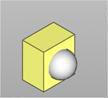 Select meshes to unite. Select meshes to unite.
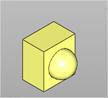
|
none
|
Step 2
|
Pick the second mesh solid. The Unite is performed automatically.
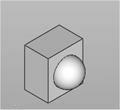 Right-click or press <Enter> to perform the unite. Right-click or press <Enter> to perform the unite.
|
|
|
