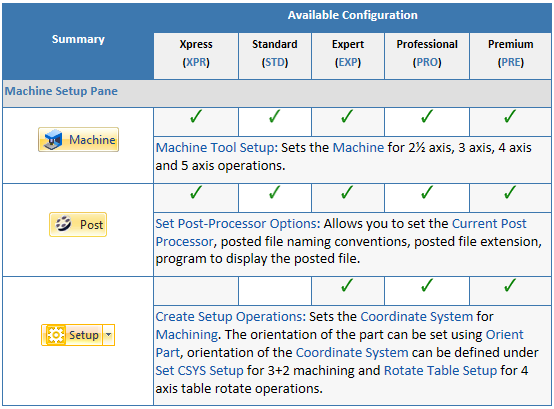
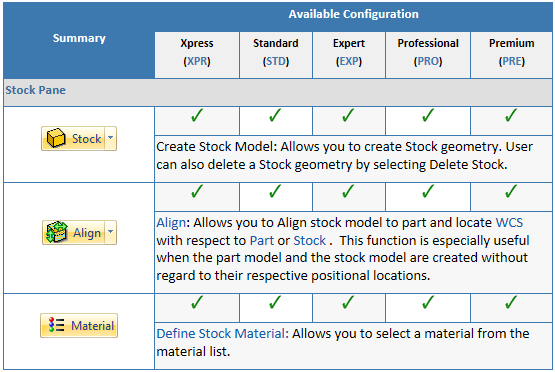
Selecting the Program tab in the Mops Browser provides access for specifying Machine, Stock and the definition of Machining Operations.
Note: See Right-Click Commands for a complete list of all right-click commands available from the Machining Operations (Mops) Browser and the Machining Objects (Mobs) Browser.

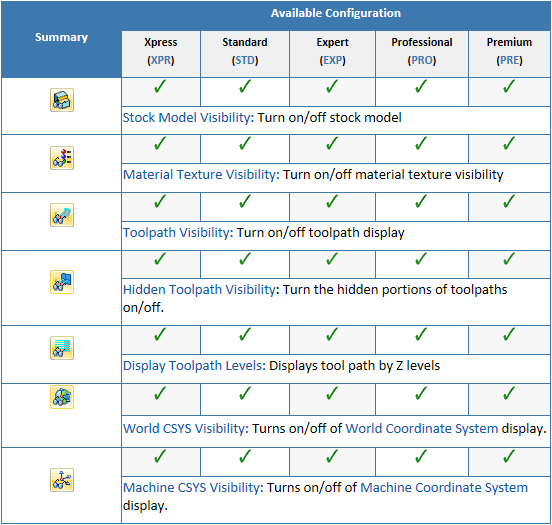
1.Start at the top left of the Program tab and work your way to the right thru the various menus to create toolpaths. 2.Use the toolbar at the bottom of the Browser to toggle the display of various portions of the CAM display such as Stock, Toolpaths, Coordinate systems, etc. |
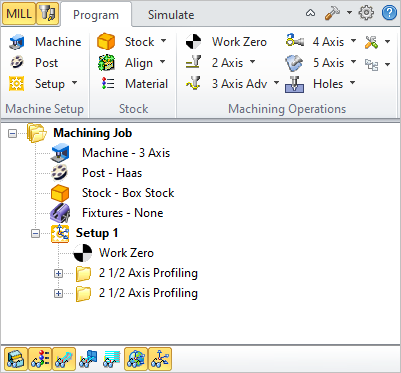 The Machining Operations (MOps) Browser, Program Tab |
|
|
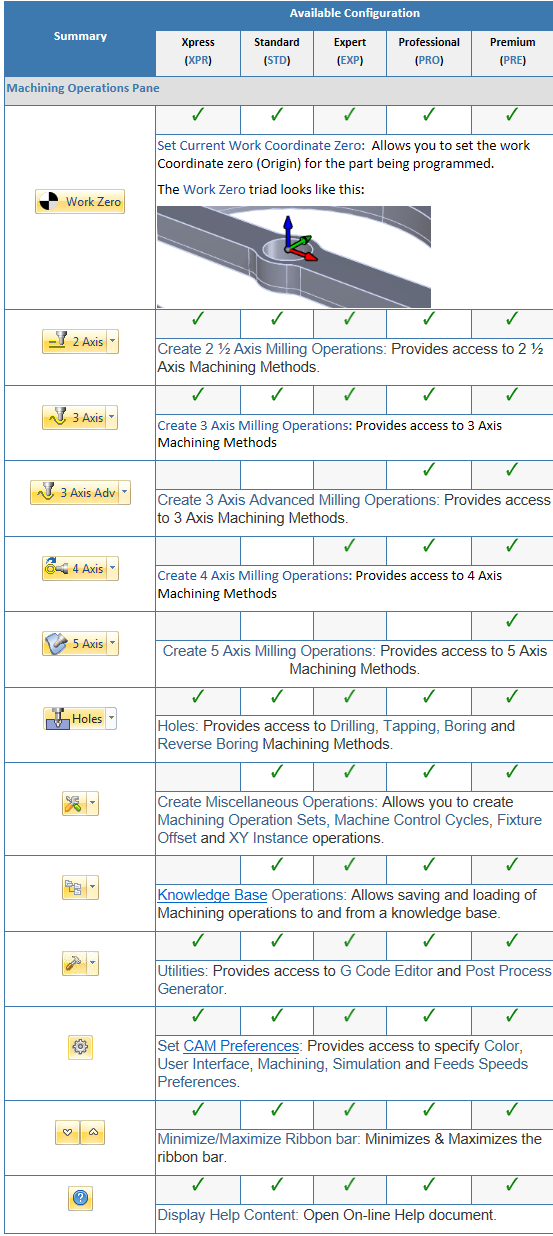
This section allows you to create machining operations. MILL module allows you to create multiple machining operations in a part file. This is a powerful feature that allows you to create an entire sequence of machining operations that is necessary to create the part model from the stock model. This set of operations can additionally be archived with the part file and retrieved at a later time with no loss of information.
|
This toolbar is located at the base of the Machining Browser and has the following controls:
|