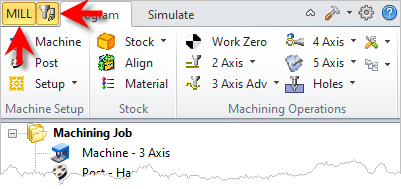
Tabs available on the Machining Browser that allow you to toggle the display of both the Machining Browser and the Machining Objects Browser.

1.The upper-left button will skip through the CAM Modules. Make sure you have selected the correct tab for the module you want to run. 2.If your Machining Job tree becomes full and is difficult to display in the Mill Machining Browser, you can pick the second button to the right of the Module button to toggle the display of the Machining Objects browser on and off. |
Selecting this tab toggles between the MILL , TURN, MILL-TURN and Profile-NEST Machining Browser.
Select this tab to toggle the display of the Machining Objects Browser. |