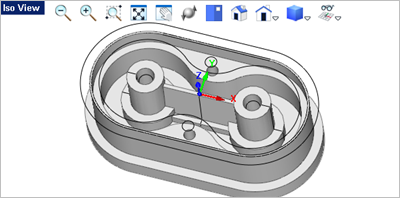
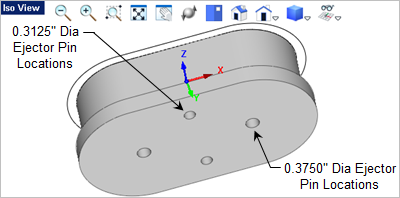
In mold design, ejector pins are used to eject the molded part from the cavity side of the mold. As the mold press opens, the ejector pins slide and protrude through the cavity forcing the plastic part out of the mold where it falls into a catch bin. The ejector pin holes pass complete through the insert. 1.Activate the Top View 2.We will draw a total of 4 holes. Two will be 0.3125" in diameter (located at #1 and #2) and two will be 0.3750" diameter (located at #3 and #4).
3.Select the grid point at the #1 location and then enter 0.3125 in the command prompt 4.Press <Enter> to repeat the command. 5.Select the grid point at the #2 location and press <Enter> again to accept the new default diameter. 6.Now press <Enter> to repeat the command, select the grid point at the #4 location and then enter 0.375 in the command prompt 7.Now press <Enter> again, select the grid point at the #4 location and press <Enter> to accept the new default diameter. The 4 circles are drawn. 8.Now with the <Ctrl> key pressed, select the 4 holes, go to the Mesh Modeling tab 9.Now move the cursor down to the Front View
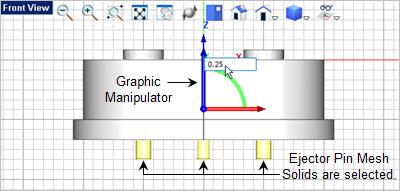
10.Now let's move the 4 ejector pin holes upward to pass through the body completely. 11.If the Graphic Manipulator does not display, pick the icon on the Status Bar to toggle it on 12.Select the Blue Z arrow and in the input window enter 0.25
13.Now to subtract the ejector pin mesh solids from the body to create the ejector pin holes go to the Mesh Modeling tab 14.Select the body as the first mesh solid.
15.Then select the 0.3125" ejector pin mesh solid on the right to subtract it from the body. 16.Press the <Enter> key to repeat the Subtract Mesh
17.Then select the 0.3125" ejector pin mesh solid on the left to subtract it from the body. 18.Press the <Enter> key to repeat the Subtract Mesh 19.Select the body again as the first mesh solid.
20.This time select the 0.3750" ejector pin mesh solid on the right to subtract it from the body. 21.Press the <Enter> key again to repeat the command and then select the body mesh solid.
22.Now select the remaining 0.3750" ejector pin mesh solid to subtract it from the body.
|
 and then go to the
  and select the
  command.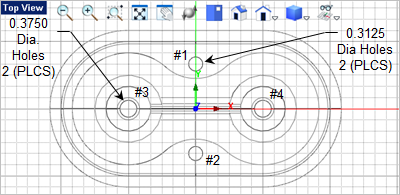
 and then press
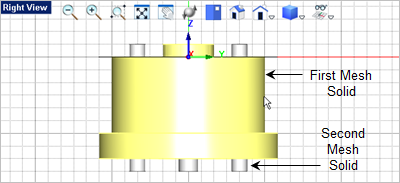
  and select the
  command.
 and drag the extrude length down past the bottom of the body and pick the grid pint located at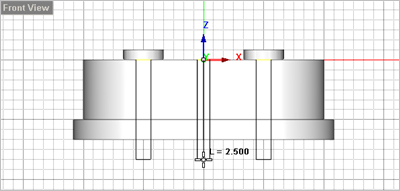
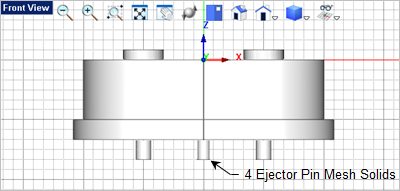
 .
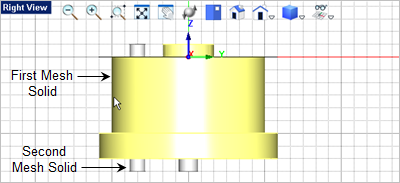
.
 and we see the ejector pin mesh solids.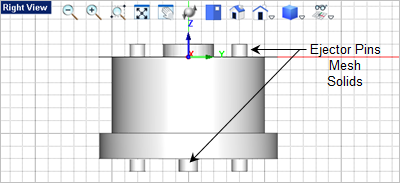
 command.