Selecting the K-Bases tab under the Machining Objects Browser displays the Knowledge Base manager.
Note: See Right-Click Commands for a complete list of all right-click commands available from the Machining Operations (Mops) Browser and the Machining Objects (Mobs) Browser.

1.Use the K-Bases tab to load and save knowledge bases. 2.Once loaded, you can drag and drop operations into your Machining Job tree. 3.You can set a Default Knowledge base on the Machining tab of the CAM preferences dialog. |
There are right-click commands available for use in the K-Bases tab. |
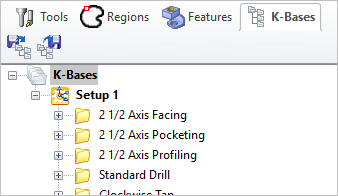 The Machining Objects (MObs) Browser, K-Bases Tab |
Refer to the following sections for a detailed description on Knowledge base |
|||||||||||||||||||||||||||||||||||||||


