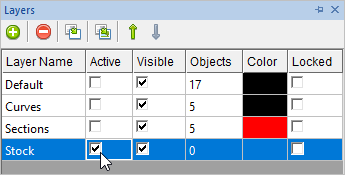
In this step you will create a 24" x 24" rectangle around the part. This can be used later during machining to help define the stock dimensions. 1.Open the Layer Manager
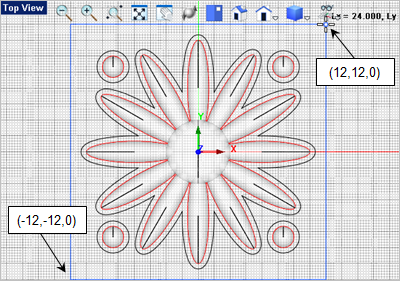
2.Activate the Top View 3.Form the Curve Modeling 4.For the first corner of the rectangle, you can select the grid point shown below or enter -12,-12,0 in the command input bar
5.For the second corner of the rectangle, you can select the grid point shown below or enter 12,12,0 in the command input bar 6.Save the file as Daisy_Decor_Completed.vcp. Congratulations, you have completed this exercise! |