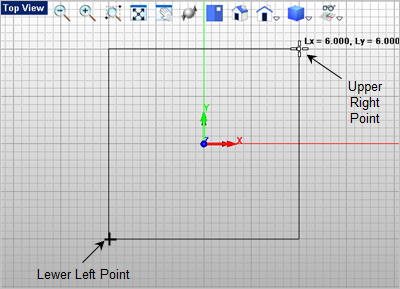
In this exercise you will learn the following VisualCAD concepts: 1.Select the Curve Modeling tab 2.Now select the Rectangle command. 3.For the first corner of the rectangle, select the lower left grid point location shown below or type -3,-3 in the Command Prompt 4.For the second corner of the rectangle, select the upper right grid point shown below or type 3,3 in the Command Prompt
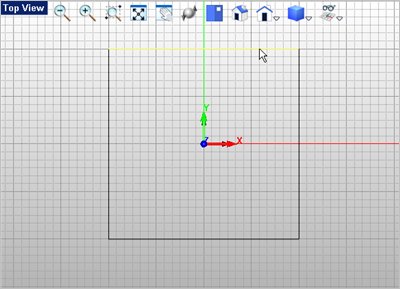
5.To fillet the corners, select the Fillet 6.For the fillet Radius, enter 0.5 in the command prompt 7.Now select the first edge to fillet as shown below. Note: When selecting curves to fillet, it is best to select furthest away from the corner that you wish to be filleted.
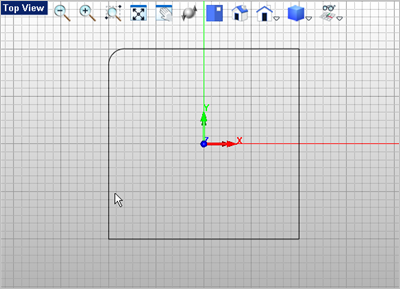
8.Now select the second edge to fillet and a 0.5 radius fillet is added to the rectangle as shown below.
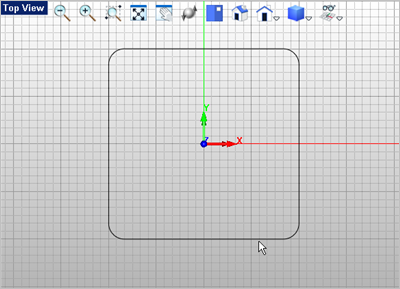
9.Now press <Enter> to repeat the Fillet command and fillet the remaining 3 corners of the rectangle as shown below. If you make a mistake, you can select the Undo command located on the Quick Access toolbar and try again.
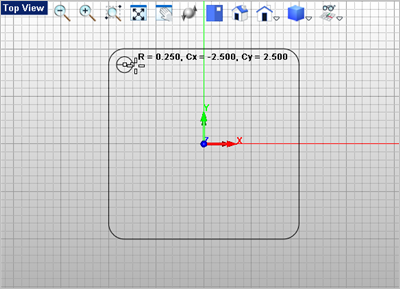
10.Now lets add the mounting holes. From the Curve Modeling 11.For the center point of the first hole select the grid point shown below or enter -2.5,2.5 in the command prompt
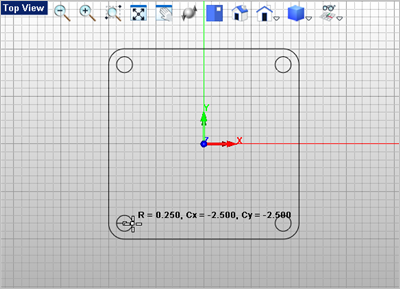
12.Now for the circle radius you can select the next grid point to the right of the center point you just selected or enter 0.5 for the diameter and press <Enter>. 13.Repeat the Circle on Pt command and draw the other three circles in the locations shown below.
|