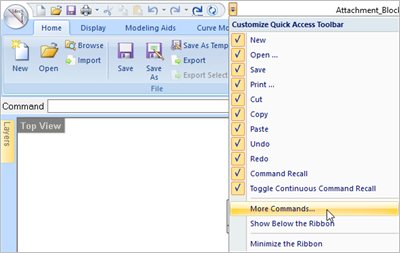
Located at the very top left of the VisualCAD window you will find the Quick Access Toolbar. It contains many of the most commonly used commands such as Cut, Copy, Paste, Save, Undo, Redo, etc. The cool thing is that you can customize this toolpath to add commands that YOU use regularly. 1.Pick the drop-down menu to the right of the Quick Access Toolbar.
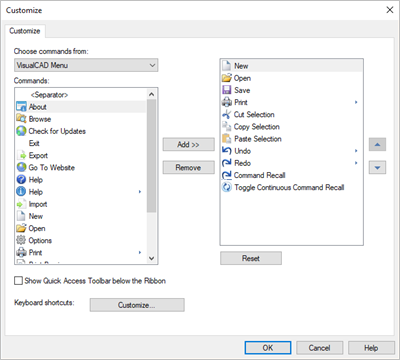
2.Select More Commands... from the menu to display the Customize dialog. You can use this dialog to add or remove commands to the Quick Access Toolbar.
|