
 This method generates a toolpath from a planar base curve that is extruded along a rail curve. It is similar to 4 Axis Projected Extrusion. However in this method the toolpath is generated without an underlying 3D model being present. If a model is visible, it is ignored.

In the following example, the base curve must be a closed curve and the rail curve touches the base curve. Notice that a visible surface is not required for this operation. All visible surfaces are ignored. 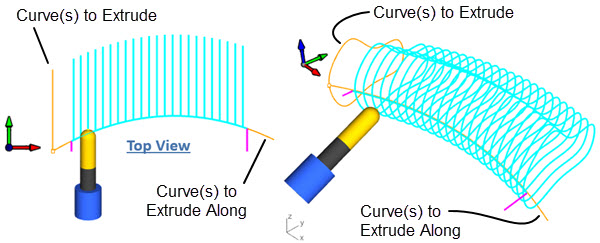 4 Axis Extrusion Operation |
The Profiling toolpath method is invoked by selecting the Program tab, clicking on the 4 Axis button in the Machining Browser and selecting the Extrusion Operation. 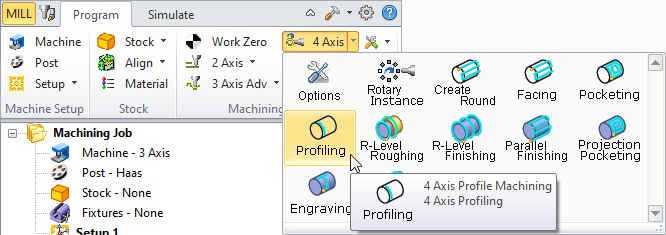 4 Axis Profiling Menu Item |
The dialog that is invoked when you choose this toolpath method is shown below: 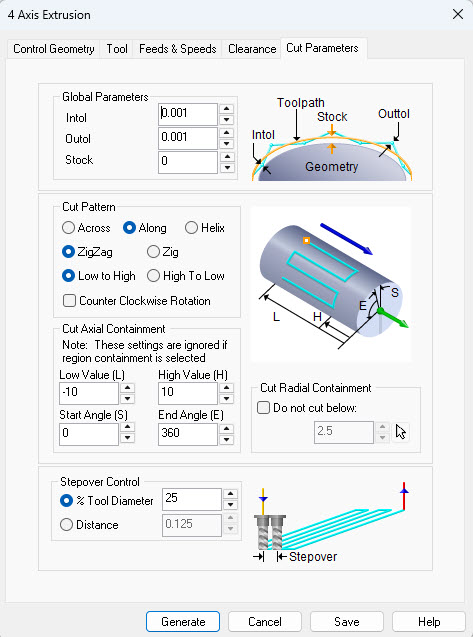 Dialog Box: Cut Parameters tab, 4th Axis Extrusion Operations |