

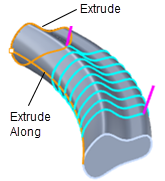
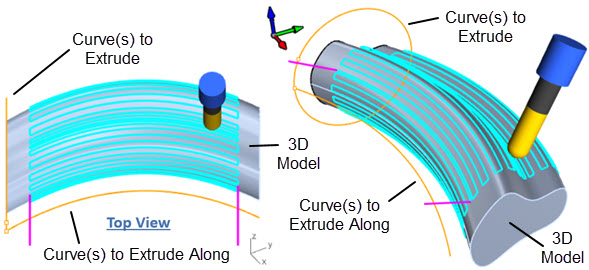
 In this method the Base curve is extruded along the Rail curve and then projected onto the visible 3D part model. So the toolpath lies on 3D part model and is being driven by the Base curve and Rail curve. This method is similar to the 4 Axis Extrusion operation.

The machining regions can be selected from an extrusion profile and a rail curve(s).
|
The Projection Extrusion toolpath method is invoked by selecting the Program tab, clicking on the 4 Axis button in the Machining Browser and selecting the Projection Extrusion operation as shown in the menu below. 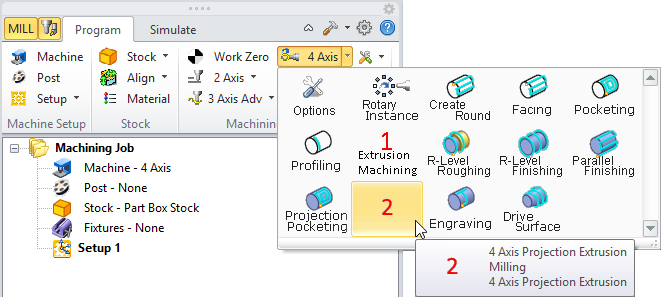 4 Axis Projection Extrusion Menu Item |
The dialog that is invoked when you choose this toolpath method shown above. 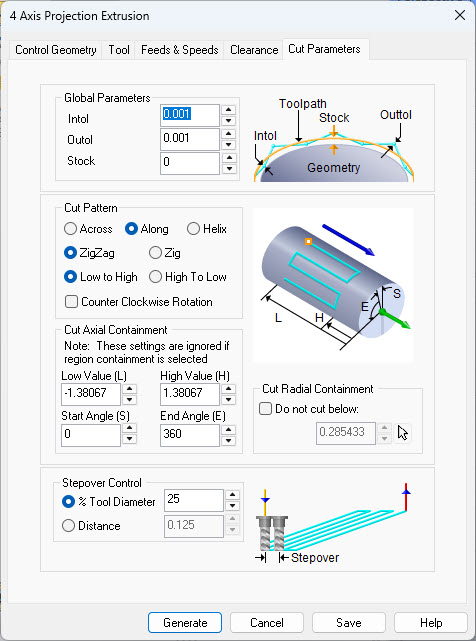 Dialog Box: Cut Parameters tab, 4th Axis Projection Extrusion Operation |