

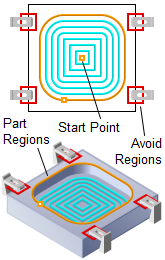
Pocketing, 2½ Axis
Pocket machining is a method of generating planar toolpaths using regions as the part geometry limits. Here the 3-D part geometry model is not considered in the toolpath generation. Instead the input regions are used to construct a virtual 3-D part geometry model that has vertical walls with the top edge defined by the regions Z values or a user specified value and has an XY shape defined by the regions geometry.
The toolpath begins at the top Z value and stops at the bottom Z Depth defined by you. The cut patterns that used in this type of machining can either be a linear cut pattern or an offset cut pattern.


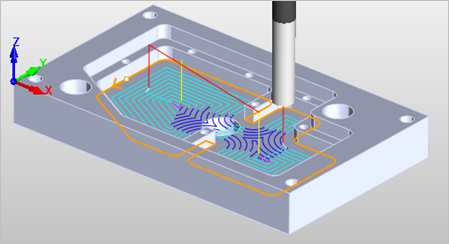 2½ Axis Pocketing |
The Pocketing toolpath method is invoked by selecting the Program tab, clicking on the 2½ Axis button in the Machining Browser and selecting the Pocketing Operation. 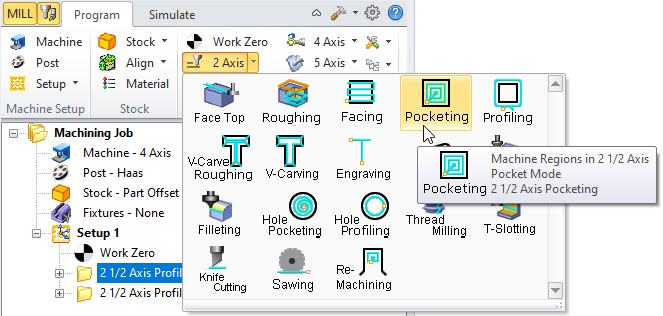 2½ Axis Pocketing Menu Item |
The toolpath generated depends on your defined parameters. The various parameters that you can set can be seen in the dialog box that is invoked when you choose the 2½ Axis Pocketing toolpath operation. This dialog box is shown below. 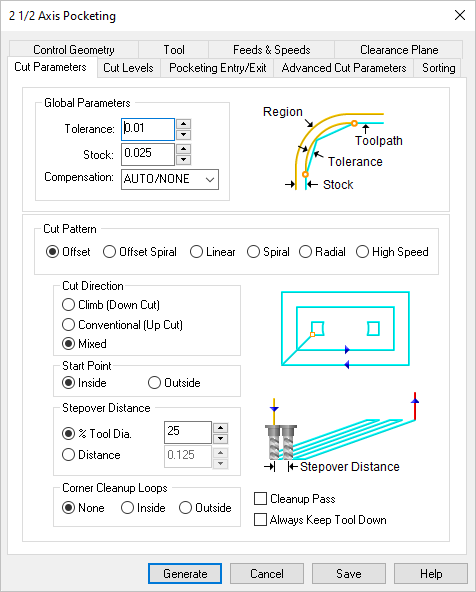 Dialog Box: 2½ Axis Pocketing |