This guide provides the basis for understanding how the Legacy Post-Process Generator (PPG) operates and how you can use it to customize your posted g-code files. It uses a simple part file example with three toolpath operations. Each toolpath is illustrated, examined and the resulting G-Code is color coded to the portion of the PPG that controls it. Each section of the PPG is then explained and examined for the part file example and its resulting G-Code.
 CAMJam Download Archive |
 NOTE:
NOTE:
|
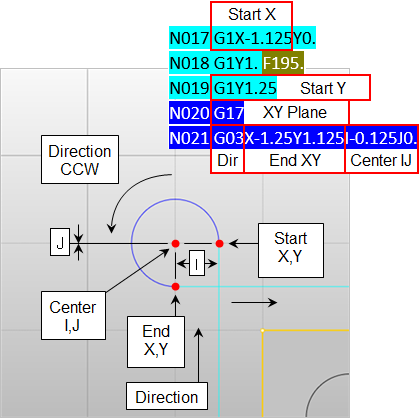
How arc motions are defined for our sample.