
This command graphically compares the differences between the part and the stock geometry and displays the results graphically. The part geometry must contain solid/surface/mesh geometry. You can use the Part/Stock Comparison dialog that displays to adjust the tolerance band and continue the comparison.

Run the simulation from the Simulate tab and select Perform Part/Stock Comparison. 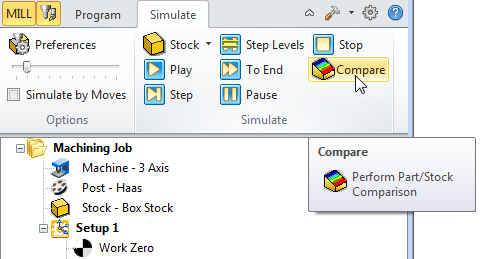 Location of the Perform Part/Stock Comparison Icon |
The following dialog is displayed and you can specify the tolerance for part/stock comparison. You can manipulate the part in the graphics window (i.e., pan, zoom, rotate) while this dialog is displayed. 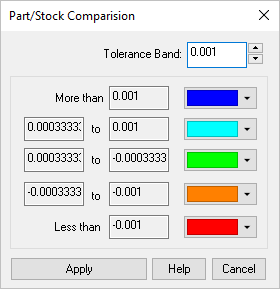 Part/Stock Comparison dialog box |
A visual comparison of the stock model against the part model is displayed. You can color-code areas based on the amount of material remaining or overcut. 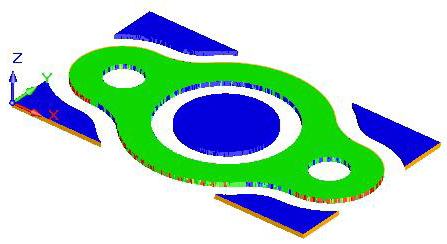 Part/Stock Comparison Model (MILL Module) |