This displays a dialog box with the following information about the selected Operation, the Setup or the entire Machining Job:
•Operation Name
•Status
•Tool Name and Tool #
•Cut Feed Rate
•Spindle Speed
•# of GOTOs
•Machine Time

Machining Operations Information can be viewed by selecting a Setup, right mouse button click and left click on Information. 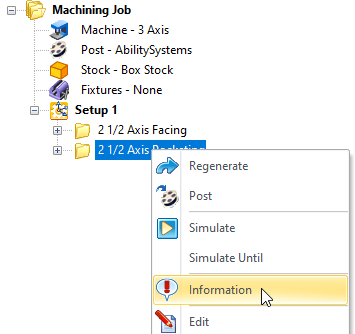 Select Information from the Right-click Menu |
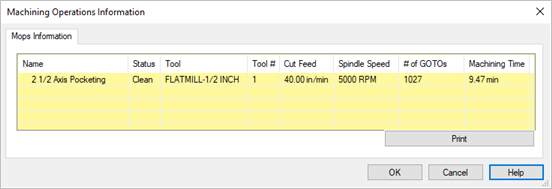 Dialog Box: Machining Operations Information |