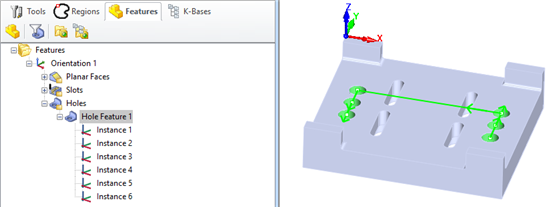
The control geometry for Hole Pocketing operations can derived from two methods: (1) from a Hole Feature or (2) from Hole Geometry. When derived from a Hole Feature, the Hole Features tab is displayed and populated automatically with information from the actual Hole Feature selected from the Features tab of the Machining Objects Browser or from a Machining Knowledge Base with matching cross-section criteria. Refer to the Control Geometry tab when the current Hole Pocketing operation is derived from Hole Geometry, such as Drive Regions or Flat AreaRegions.
The following applies when the control geometry for the current Hole Pocketing operation is derived from a Hole Feature.
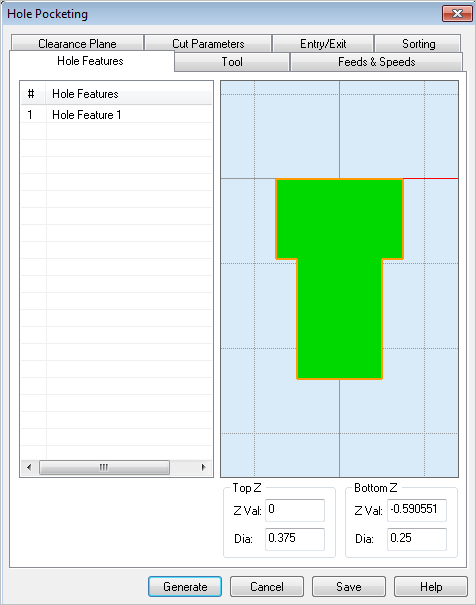
The Hole Feature that "drives" this operation will be listed here. It's Name, Diameter, Top Z and Bottom Z value properties are derived either from a Hole Feature selected from the Features tab of the Machining Objects Browser or from a Machining Knowledge Base with matching criteria. Refer to the Features tab of the Machining Objects Browser for information on setting up operations from Hole Features.
This window previews the Hole Cross Section of the matching Hole Feature. Note: This preview is displayed as a reference and cannot be edited from this dialog.
The Top Z and Bottom Z values as well as the hole Diameters extracted from the selected Hole Feature. Note: This information is displayed as a reference and cannot be edited from this dialog.
Generate
Calculate the current operation and update the Setup in the Machining Browser.
Cancel
Close the dialog without generating the operation and without updating Setup in the Machining Browser. All selections and parameters will be discarded.
Save
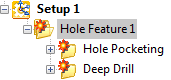
Save the operation to Setup in the Machining Browser without calculating it. Operation not generated are flagged like this: