In this tab, parameters like the Cut Direction, Step Over and Step Down can be specified for Turn Groove Roughing operations.

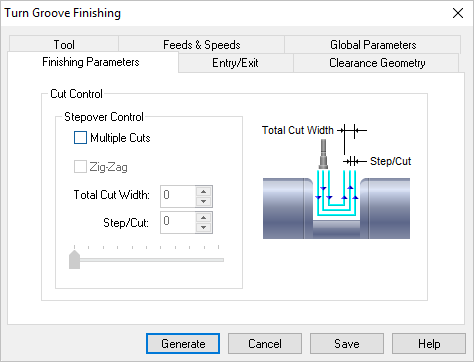 Dialog Box: Finishing Parameters tab, Turn Groove Finishing |
Groove finishing cut can be specified in terms of the total passes of the cutter over the stock. Multiple Cuts This allows you to specify multiple passes for finishing. If Multiple Passes is checked, you can then also specify the Total Cut Depth and the Depth/Cut for each pass. The slider allows you to easily adjust the Depth/Cut value. ZigZag This allows you to specify multiple passes for finishing. If Multiple Passes is checked, you can then also specify the Total Cut Depth and the Depth/Cut for each pass. The slider allows you to easily adjust the Depth/Cut value. Total Cut Width First specify the Total Cut Width. Then you can specify a Step/Cut distance or use the Slider to adjust the Step/Cut.
Step/Cut First specify the Total Cut Width. Then you can specify a Step/Cut distance or use the Slider to adjust the Step/Cut. |
 Optionally, you can use the