 You can set various CAM Preferences that will be saved even after you exit the program. Select the Preferences icon from the Machining Browser. When you install a new VisualCAM update you are choose to import your CAM Preferences from one version to the next.

1.These are the preferences for all of the MILL Module. 2.To the right of the Program and Simulate tab you will find the Gear icon. Select it to display the CAM Preferences dialog. |
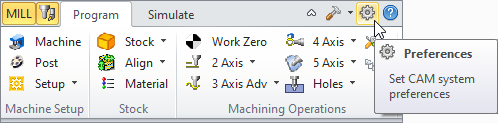 Set CAM System Preferences menu item
|