
Use the Backplot tab of the Toolpath Editor to perform a backplot of the tool motions contained within the active toolpath. This is similar to a cut material simulation but is performed with only the toolpath and the tool.
Note: If the toolpath contains flagged motions (i.e., there were errors during toolpath generation and simulation) running a Backplot WILL ignore these flags. Use the Diagnostics tab of the Toolpath Editor to diagnose such errors.

1.You must first generate a toolpath before a backplot can be performed. 2.
3.From the Toolpath Editor select the Backplot tab. 4.Use the icons on the toolbar to navigate through the backplot. These controls are similar to those located on the Simulate tab of the Machining Browser. 5.Note: If the toolpath contains flagged motions (i.e., there were errors during toolpath generation and simulation) running a Backplot WILL ignore these flags. Use the Diagnostics tab of the Toolpath Editor to diagnose such errors. |

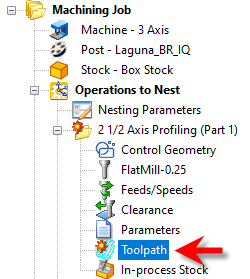
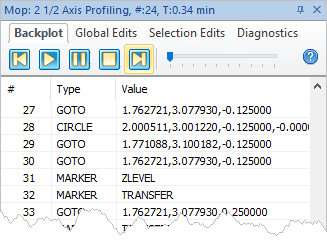 Backplot tab, Toolpath Editor |
|


