

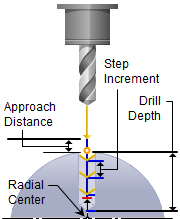
Drilling, 4 Axis
All of the hole creating machining operations available in 3 axis are also available in 4 axis mode. The 4 axis Hole making method is invoked by selecting the Program tab, clicking on the Holes button in the Machining Browser.

These operations include Drilling, Tapping, Boring and Reverse Boring. As in any other 4 axis operation, the tool is positioned normal (perpendicular) to the rotary axis. Once the holes (regions) are selected, the dialog boxes are similar to the 3-axis hole making operations. Sorting of holes is also possible to optimize the tool motion. 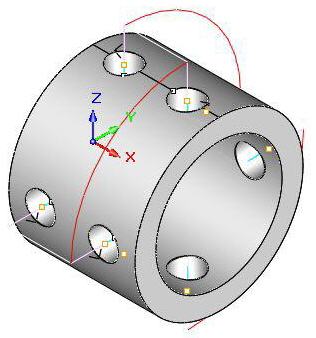 4 Axis Hole Making Examples |
The 4 Axis Hole Making toolpaths are accessed by selecting the Program tab, clicking on the Holes button in the Machining Browser and selecting a 4 Axis operation. 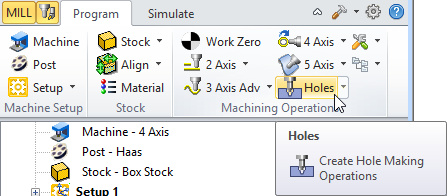 4 Axis Hole Making Menu Item - Premium Configuration Shown |