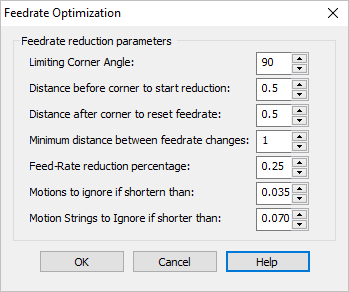
Limiting Corner Angle
Toolpaths equal to or below this Angle will be subject to these Feedrate Optimization rules.
Distance before corner to start reduction
This is the linear Distance BEFORE a corner when Feedrate Optimization begins.
Distance after corner to reset feedrate
This is the linear Distance AFTER a corner when Feedrate Optimization ends.
Minimum distance between feedrate changes
This is the Minimum Distance between within which Feedrate Optimization will occur. Adjust this value to the minimum distance between corners on your part.
Feedrate reduction percentage
This is the percentage of the default feedrate to apply for Feedrate Optimization. For example, entering 0.25 will apply a 25% reduction in feedrate at the corner angles specified. This value must be less than 1 to apply the correct feedrate reduction.
Motions to ignore if shorter than
Individual toolpath motions shorter than this distance will be ignored for Feedrate Optimization.
Motion strings to ignore if shorter than
Accumulative (i.e., consecutive) toolpath motions shorter than this distance will be ignored for Feedrate Optimization.
|

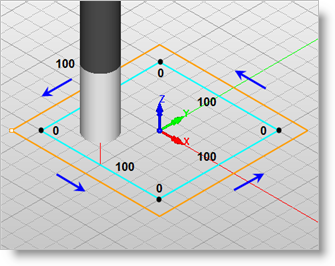
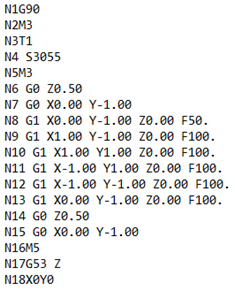
 This option is used to optimize the toolpath feedrate in corners by slowing down the cutter before a corner and resuming it's programmed speed after the corner. The values listed are percentages of the current feedrate assigned to the operation.
 Feedrate Optimization will only apply to planar toolpaths such as 2½ Axis operations and some 3 Axis operations.