

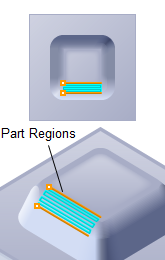
Between 2 Curves Machining, 3 Axis
The Between 2 Curves Machining toolpath method allows machining between two user-defined curves. These can be open or closed curves. You can select machining to be performed either parallel or normal to these curves. The created toolpath will make a gradual transition from one curve to the other depending on the geometric form of the two curves. This creates a blended toolpath that can be used to efficiently finish complex shapes. This type of machining is sometimes called Flow-line machining.

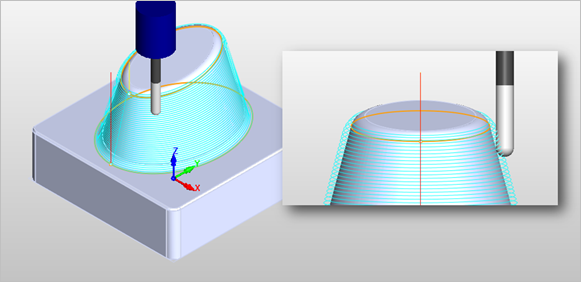 Between 2 Curves Machining, 3 Axis |
The Between 2 Curves Machining toolpath method is invoked by selecting the Program tab, clicking on the 3 Axis Adv button in the Machining Browser and selecting the Between 2 Curves Operation. 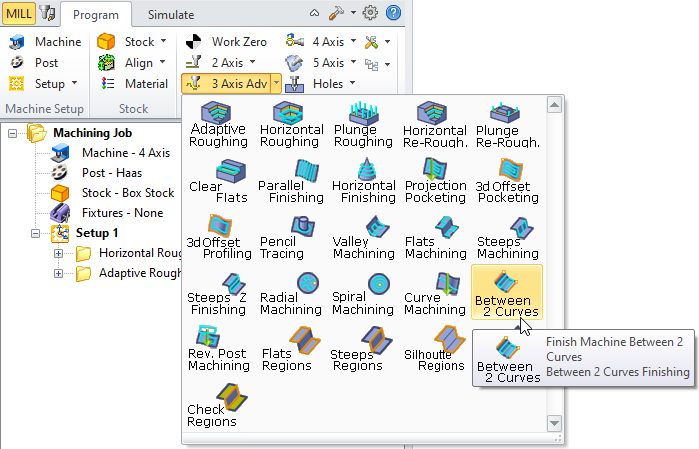 Between 2 Curves Machining, 3 Axis Menu Item |
The dialog that is invoked when you choose this toolpath method is shown below: 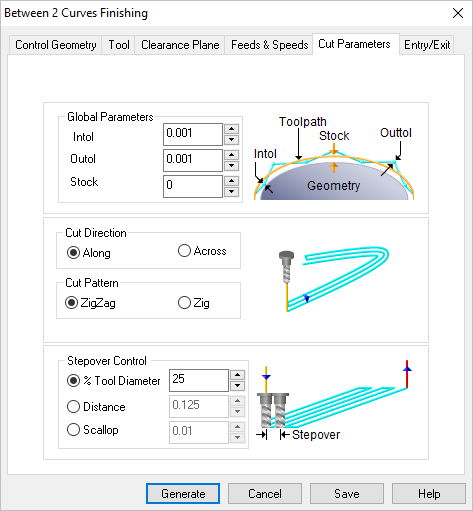 Dialog Box: Between 2 Curves Machining, 3 Axis |